
A great deal of our private data is accessible online in both private and public form. This surprises many internet users and it can seem that online privacy is virtually impossible. This is not true. It is possible to take back control and protect your identity and activity online with a VPN.
There are approximately 2,200 cyberattacks each and every day which equates to one attack every 39 seconds. But, around 95% of these data breaches are directed against valuable information, such as bank account numbers, login details, social security numbers and more. These data breaches are preventable and one of the best ways to protect your online security is a Virtual Private Network or VPN. So, it is important to understand what a VPN does, their history and development and how to choose the right product to meet your privacy needs.
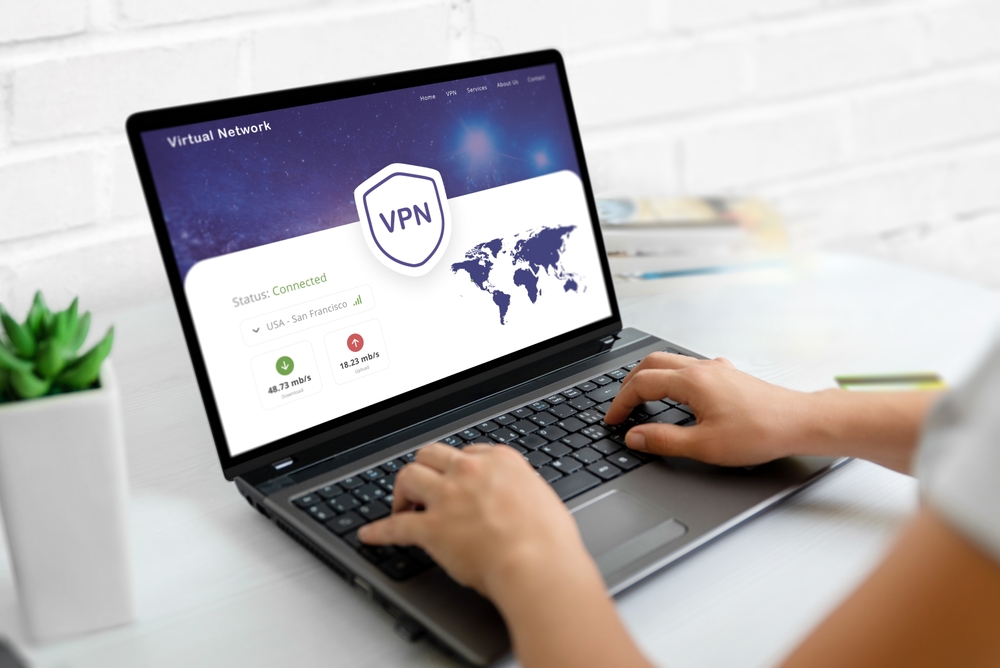
A Brief VPN Primer
The VPN facilitates a connection between the user and the internet. This provides a shield of anonymity against any malicious hackers or curious entities that want to know the location of the user and their online traffic. A virtual tunnel is created to a VPN server in a third-party location and this masks the users true IP address. There are four main reasons why every internet user should use a VPN.
1. Online Privacy
This is the first and most obvious reason why most people decide to use a VPN when they browse online and/or download data. All the data is converted into code to ensure that sensitive and not so sensitive data is protected. This even extends to the Internet Service Provider (ISP) that will be unable to monitor the internet traffic of their users.
2. Physical Privacy
The VPN is not a guarantee of anonymity and it’s best used as part of a digital security toolkit to protect other aspects of privacy. But, where the VPN truly shines is the masking of the IP address to prevent the tracing of the user’s physical location. When a VPN is used it is very difficult to identify a user and trace their true location!
3. Blocking
Certain VPNs have built-in security features that block activity from ads, trackers and malicious websites before they harvest data and cause damage.
4. Public WiFi Protection
Accessing the internet via a public WiFi network brings a certain amount of risk. These networks have always been a source of concern for tech-savvy users. But, in recent years they have become a haven for hackers that want to engage in identity fraud and steal data.
Using a VPN to access public WiFi is much safer, anyone attempting to snoop on your traffic will be unable to identify who and where you are accessing the internet from. For extra peace of mind, always pair your VPN with strong passwords.
A Brief VPN History Lesson
Ever since we’ve had the internet, there have been moves to encrypt browser data to protect the users. During the inception of internet communication in the 1960s, the US Department of Defense was already working on security projects. These yielded fruit in the creation of the Advanced Research Projects Agency Network (ARPANET) for packet switching and then the Transfer Control Protocol/Internet Protocol (TCP/IP).
This later development had four distinct levels: Link, Internet, Transport and Application. The local devices and networks could be connected to a wider network, but this raised the risk of exposure.
In 1993 a team from AT&T Bell Labs working with Columbia University created the Software IP Encryption Protocol (swIPE) which was the first proto-VPN. Later that year Wei Xu developed the Internet Security (IPSec) network which encrypted and authenticated information packets that were shared online.
In 1996, the Peer-to-Peer Tunneling Protocol (PPTP) was created by Gurdeep Singh-Pall for Microsoft. This coincided with the growth of internet popularity and a need for sophisticated security systems. Early anti-virus programs were proving to be effective against spyware and malware infections. But, the demand for encryption software to hide the identity and browsing habits of internet users was growing. The first modern VPNs arrived on the market in the early 2000s, but they were designed for company-use. When security breaches became more common in the early 2010s VPNs were more widely accepted by consumers and gained popularity.
The growth in VPN users quadrupled between 2016 and 2018 according to data provided by GlobalWebIndex. In nations with censorship and restrictions, such as China, Indonesia and Thailand, around 20% of users regularly use a VPN.
In the USA, Germany and the UK this drops to around 5%, but there is consistent growth. The most consistent driver of VPN adoption is to circumvent geographical access restrictions for streaming services. In some countries it’s harder to view Netflix, Youtube, Disney+ and other content unless your IP address is in a covered region. Users use their VPN to make it appear that they are attempting to view the service from a country where they are allowed to view it. This means that the VPN user can access their content from anywhere in the world with no restrictions.
How Does the Modern VPN Work?
The VPN hides the users IP address by allowing the network to redirect the internet traffic through a specialized remote server that’s run by the VPN provider. While surfing online with the VPN, it’s the remote VPN server that is seen as the source of the user data. The ISP and any other third parties that may be looking at the data can’t see any data that is sent or received online or which websites are visited. The VPN encryption makes the data look like nonsense and even if a hacker or malicious entity did get hold of the data it’s useless to them.
There are a number of different VPNs, but there are three main VPN types that are in common use.
| VPN Type | What It Does | Pros | Cons | Best For |
|---|---|---|---|---|
| SSL VPN | Uses Secure Sockets Layer (SSL) to establish encrypted connections through web browsers. | – Easy to set up, no need for client software – Works through firewalls and NATs – Highly secure | – Limited to web-based applications – Can be slower depending on encryption | Remote access for employees, secure web browsing |
| Site-to-Site VPN | Creates a secure connection between two networks, often used to connect multiple office locations. | – Secures communication between entire networks – Transparent to users – Ideal for large-scale setups | – Complex to set up and maintain – Expensive – Requires dedicated infrastructure | Large businesses, branch office connectivity |
| Client-to-Server VPN | Connects an individual device (client) to a specific server, often used for secure access to internal resources. | – Provides direct access to resources – Highly secure – Flexible for remote access | – Requires client software on each device – Can experience slower speeds | Employees accessing company servers remotely |
SSL
In recent years, many companies faced security problems because they had insufficient equipment for workers forced to work from home for the first time. The employees could use their home computers if they didn’t have access to a company laptop or computer.
These private devices required the use of a SSL-VPN that runs traffic through a dedicated hardware box. The only requirement is a HTML-5 capable browser that can be used to access the login page on the company website. The access is protected using a specific username and password for the employee.
Site-to-Site
This is a private network used to hide private intranets for users to access a secure network and share resources. This can be a useful VPN choice for companies with multiple locations that have a Local Area Network (LAN) connected to a Wide Area Network (WAN).
It’s also a useful option to send files between two distinct intranets without giving users on each intranet explicit access to the other intranet. A Site-to-Site VPN is typically found in a larger company due to its complexity and lack of flexibility when compared to a SSL-VPN. But, they are a secure way to facilitate communication between and within a large department.
Client-to-Server
The best way to think of a Client-to-Server VPN is that a home PC is connected to a company or other entity via a virtual extension cable. But, the user must install and configure a VPN client on their computer before they can browse anonymously. The user connects to the internet using their ISP, but then they make a direct connection to their VPN host.
The VPN created an encryption tunnel to disguise the source of the originator. This is the most popular form of VPN and it’s very useful for those using public WLAN. The network connection cannot be accessed and the data is encrypted from and back to the user. The ISP cannot spy on data and any restrictions on internet access can be bypassed. The key advantage of this VPN type is efficient universal access as long as an internet connection can be made.
4 Key VPN Advantages
When online data traffic is not masked and disguised it is vulnerable to external access and it could be viewed by any person that has network access and the desire to view it. Using a VPN is the best way to prevent the deciphering of your data by hackers and other malicious entities. Let’s take a look at four key advantages to VPN use.
Disguising Your True Location
The VPN servers are the proxies on the internet and any demographic location data comes from that server. This could be a server in your own nation or another country entirely. The true location of the user cannot be seen and the best VPN providers don’t keep logs of their customers’ online activities. Certain VPN hosts may record some data to track their own performance, but this is anonymous and it’s not sold to third parties.
The Encryption Key
To access and read the data the user needs to have the encryption key. Without this, it would take the most powerful computer on the planet thousands or millions of years to decipher the code. Even in the event of a brute force attack to guess their way into an account, a hacker will be unable to track online activities. This is true even on a public network which makes a VPN with secure encryption a must for a comprehensive digital security toolkit.
Secure Data Transfer
For those that work remotely there will be times when access to important company files is a must. But, there are security considerations and a secure connection using VPN should be a requirement. A VPN service using encryption and connection to a private server is one of the best ways to reduce data leakage risks.
Accessing Regional Content
This is one of the more fun aspects of VPN services. A great deal of web content and many streaming services are region-locked even if you’ve paid for them. A Netflix subscription in one nation doesn’t guarantee that you can view it from anywhere in the world.
This can be frustrating for travelers that want to catch up with their favorite shows. Using a VPN service to fool the streaming service to “change” your location will allow you to view any content you like from anywhere.
4 VPN Disadvantages
The entire purpose of a VPN service is to protect the identity and location of the user when they venture online. But, if the VPN is not open source there’s no way to be completely sure of its true security. Nothing in life is perfect and VPNs are no exception, so there are disadvantages to consider.
Blocked Sites
Certain websites are configured to block access by VPN users. In some cases, this can be circumvented by changing to a VPN server in a different region. Some trial and error may solve the problem, but this can take a while and there are no guarantees.
Less Reputable VPN Services
Like any industry there are good and bad companies working in the realm of VPN providers. Some less than reputable VPN services may not adhere to their own user privacy terms. Some may even track their users’ activities and sell that data to third parties. So, it’s always important to choose a VPN service with a solid reputation.
Account Security Concerns
When a VPN user accesses certain online services such as PayPal they may have their account flagged for a security breach. This is a protection against fraud that’s triggered when a foreign IP address is used to access the account.
Slower Connection Speeds
All VPNs slow the internet connection speeds because it takes time to encrypt and decrypt data passing through the virtual tunnel. Some VPN services are faster than others and many users don’t notice any lag when they are browsing or even gaming.
How Will a VPN Improve My Online Privacy?
At the very basic level, you should expect that a VPN service will encrypt and route your online traffic through its server network. But, some companies offer more and they are likely to offer other features to improve your security.
- DNS Leak Protection: The Domain Name System (DNS) will translate a human-friendly domain name into the IP address. This feature protects against potential leaks by routing DNS queries through the VPN server to circumvent the ISP.
- Multi-Hop Connections: This routes your traffic through a series of several VPN servers rather than the typical single server. At each hop the data is re-encrypted to further lower the chance of an intrusion and data theft.
- The Kill Switch: This disconnects you from the internet if the VPN connection drops out to protect you against accidental exposure.
- Multi-Factor Authentication (MFA): This adds an extra layer of security with user verification above a simple password. This could be a One-Time Passcode (OTP), your fingerprint or some other method.
- Split Tunneling: This allows the user to choose a local network for certain activities at the same time to select which services or apps they want to use with their VPN connection.
- Obfuscated Servers: With this feature the VPN servers will disguise the traffic to look like typical HTTPS traffic. This will circumvent any VPN restrictions on services or websites and allow access to home country servers for travelers. This is extremely useful for people that are traveling in countries that have strict internet censorship laws.
Are VPNs Safe to Use?
Most security experts agree that VPNs are safe tools to use when you want to protect your privacy online. But, there are exceptions and you need to choose a trustworthy VPN provider. There are many free VPN services, but in reality there is no such thing as a free ride and these services often sell your user data. This can be used to set up trackers on users, to target ads or more. Most VPN providers offer a free trial of their product which is a great way to try before you buy. But, it’s always a good idea to purchase a VPN plan when the trial expires if you’re happy with the service.
Choose a VPN service that offers formidable VPN encryption standards and the top-tier at the time of writing is AES using a 256-bit key. This is the same encryption protocol used by the NSA and other intelligence agencies. The best VPN providers will have a strict no-logs policy, they won’t store any online activity records and this will protect your privacy. This is true even if the VPN provider is hacked because there will be none of your data stored and nothing to steal.
The location of the VPN provider can also determine the amount of privacy and security it can offer. In certain countries there are retention laws that state how long a company must preserve user data. This is why many VPN providers are based in nations that are not part of the five eyes, nine eyes or fourteen eyes intelligence alliances that are more likely to share data with governments on request. Two notable examples are NordVPN and CyberGhost which are respectively based in Panama and Romania.